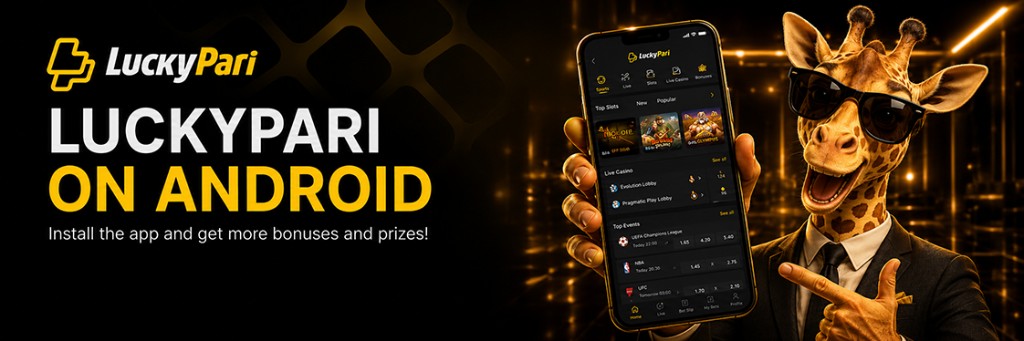
LuckyPari Kenya App — Download APK for Android and Login

The LuckyPari Mobile App lets you place sports bets and play casino games from your phone. Android users can install it with an APK file. On an iPhone, LuckyPari can be opened through Safari, installed via TestFlight or saved as a shortcut on the home screen.

Already have an account? Use the same login details after installation. Your balance and betting history stay in place, so there is no need to register again.

The app covers pre-match and live betting, the bet slip, settled and open bets, slots, crash games and live casino tables. You can log in with the phone number, email address or username used during registration.

Only download the APK from the LuckyPari website. Before opening the file, check the domain, the HTTPS connection and the permissions requested by the app. APK files shared through Telegram or unofficial directories may be out of date. Some can also lead to fake login pages.

LuckyPari App: what you can do on mobile

Once you log in from your phone, the sportsbook, live section, casino, bonuses and cashier are all available from the same account.

LuckyPari lists more than 1,000 betting events across 300+ sports. The casino catalogue contains over 7,000 games, including roughly 400 live tables. From the account area, you can review current bets, check settled results, make a deposit or submit a withdrawal request.

Support is available around the clock through chat and email.

Feature What is available Platform
Sportsbook Pre-match markets and 1,000+ events Android, iOS, browser
Live betting In-play events and changing odds Android, iOS, browser
Casino 7,000+ games Android, iOS, browser
Bet history Open and settled bets Account area
Bonuses Welcome offers and cashback App and website
Payments Deposits and withdrawals App and website
Support Available 24/7 Chat and email

How to download LuckyPari on your phone

The right option depends on the device.

Android users can install the LuckyPari APK manually. On an iPhone or iPad, access is available through the iOS version or Safari. The mobile website is the quickest option because it opens in the browser and does not take up storage like a full app.

Whichever method you choose, the same account is used. Your balance, personal details and bet history do not change.

Method Device Is installation required?
LuckyPari APK Android Yes, the APK is installed manually
iOS version iPhone / iPad Yes, through the available iOS method
Mobile website Android, iPhone No, it opens in the browser
Home screen shortcut Android, iPhone No, it is added from the browser

For Android, get the APK from the LuckyPari mobile page. On iPhone, open the website in Safari and add it to the home screen when you need quicker access.

Do not create another account after installation. Log in with the details you already use.

How to download and install the LuckyPari APK

An APK is the installation file used on Android phones and tablets. LuckyPari provides it through the mobile section of its website.

Avoid copies from Telegram, file-sharing websites or unofficial APK catalogues. They may contain an older version of the app or a modified login screen.

Before downloading, check the website address and make sure the connection uses HTTPS.

  • Open the LuckyPari website in Chrome.
  • Go to the Mobile section.
  • Select Android.
  • Tap Download APK.
  • Wait for LuckyPari.apk to finish downloading.
  • Open the file from the download notification or the Downloads folder.
  • If Android blocks the installation, allow Chrome to install apps from this source.
  • Tap Install.
  • Open LuckyPari and log in with your phone number, email address or username.

Once the app is installed, switch off permission to install apps from unknown sources.

When an update is released, download the new APK from the same page and install it over the existing version. You do not have to uninstall the app first. Your account, funds and betting history will remain available.

LuckyPari APK

LuckyPari on iPhone without an APK

APK files only work on Android. They cannot be installed on an iPhone.

For iOS, LuckyPari can be installed through TestFlight when that option is available. You can also use the website in Safari and save it to the home screen. The Safari shortcut opens the mobile site almost like a regular app, but without installing a large file.

  • Open the Mobile section on the LuckyPari website.
  • Select iOS.
  • Tap View in App Store.
  • Install TestFlight.
  • Open TestFlight, find LuckyPari and tap Install.
  • Wait for the installation to finish.
  • Log in with your existing account.

To use LuckyPari without installing the iOS version:

  • Open the LuckyPari website in Safari.
  • Tap Share.
  • Select Add to Home Screen.
  • Tap Add.

Both methods connect to the same account. There is no need to register twice.

Open on iPhone

LuckyPari account: login, registration and password recovery

LuckyPari account: login, registration and password recovery

To enter your account, tap Log in and use the details linked to your profile.

LuckyPari supports several registration methods. You can create an account in one click, with a phone number, by email or through a supported social network or messaging app. If you have a promo code, enter it in the separate field on the registration form.

  • Tap Registration.
  • Choose how you want to create the account.
  • Enter an active phone number or email address.
  • Create a password.
  • Confirm your contact details if LuckyPari sends a code or verification link.
  • Complete the profile details requested after login.

Forgotten your password? Tap Forgot your password? on the login page. Recovery instructions will be sent to the phone number or email address connected to the account.

If recovery does not work, contact support from the registered email address. This makes it easier for the support team to identify the account.

Never share your password or verification codes. Registration is limited to users aged 18 or above, and LuckyPari allows one account per person.

LuckyPari betting: sportsbook, live markets and bet slip

LuckyPari offers both pre-match and live betting. More than 1,000 events across 300+ sports are listed each day.

To place a bet, find the match through the search bar, sport category or tournament list. Tap the odds you want and the selection will move to the bet slip. Enter your stake, check the possible return and confirm the bet.

Take a moment to check the market and selected outcome before submitting. A home win, total goals market and handicap can look similar in a crowded live list.

Section What you will find Bet type
Sportsbook Matches before kick-off Single, accumulator, system
Live Events and odds during play Single, accumulator
Bet slip Selection, stake, odds and possible return Chosen by the user
History Open and settled bets Bet status
Results Final scores and completed events Settlement check

Odds can change before a live bet is confirmed. When that happens, the app shows the new price before accepting the wager.

Completed bets appear in Bet history, where you can check the result and settlement status.

LuckyPari Casino games

LuckyPari lists more than 7,000 casino games. The catalogue includes over 6,000 slots and about 400 live tables.

Use the search bar to find a title directly, or filter games by category and provider. Many slots have a demo mode, allowing you to open the game without staking real money.

Slots include classic reels, jackpots, newer releases and Buy Bonus titles.

Crash games use short rounds and a multiplier that rises until the game crashes.

Table games include roulette, blackjack, baccarat and poker.

Live Casino features real dealers and game-show-style tables.

Game Studio Format
Crash LuckyGames Crash game
Western Slot LuckyGames Slot
21 LuckyGames Card game
Crazy Time A Evolution Live game show

LuckyGames titles have their own section. The wider catalogue also includes games from Evolution, Pragmatic Play, Ezugi, Atmosfera and Vivo Gaming.


LuckyPari Kenya and regional availability

LuckyPari Kenya and regional availability

LuckyPari says its service covers more than 200 countries. Registration still depends on the user's location and the rules applied in that region.

For Kenyan players, the sportsbook includes local and international competitions. Available markets may cover Kenyan Premier League football, basketball, volleyball and the Kenya Open golf tournament.

Account settings are not identical in every country. The interface language, currency, payment options and bonuses can change according to the selected region.

Available currencies appear during registration. After login, open the cashier to see the payment methods currently offered for your account. These may include cards, electronic payment services or cryptocurrencies. The minimum deposit and withdrawal limits are also shown there.

Check the country field before creating the account. Do not choose another country simply to access a different bonus. A mismatch between the account details, documents and payment method can lead to KYC checks or delays when withdrawing.

Is LuckyPari safe to use?

A polished design is not proof that a website or app is genuine. Start with the basics: check the domain, confirm that HTTPS is active and download the installation file from the official mobile page.

LuckyPari distributes its Android app as an APK. Before installing it, check that the file name is correct and review the permissions Android displays.

Safety checklist

  • Check the domain for added letters, numbers or unusual symbols.
  • Make sure the website uses HTTPS.
  • Download the APK from LuckyPari, not Telegram or an unofficial catalogue.
  • Reject access to SMS, contacts or the microphone when there is no clear reason for it.
  • Use a password that you do not use on another website.
  • Never share verification codes sent by SMS or email.

LuckyPari may request identity verification before processing a withdrawal or after detecting a mismatch in the account details.

Documents that may be requested

  • Passport or national ID.
  • Proof of residential address.
  • A selfie with the identity document.
  • Proof that the payment method belongs to you.

Upload documents only through the account area or an official support channel.

LuckyPari App FAQ

Where can I download the LuckyPari APK?

Open the Mobile section on the LuckyPari website. Avoid files shared through Telegram, file-sharing platforms or third-party APK catalogues.

How do I install the APK on Android?

Download LuckyPari.apk, allow your browser to install apps from that source, open the file and tap Install.

Does LuckyPari work on an iPhone?

Yes. You can install the available iOS version through TestFlight or open the mobile website in Safari.

How do I log in to my account?

Tap Log in and enter the phone number, email address or username linked to the account, followed by your password.

What should I do if I forget my password?

Tap Forgot your password? and follow the recovery instructions sent to your registered phone number or email address.

How do I place a bet?

Choose an event, tap the odds, enter your stake in the bet slip and confirm the wager.

What casino games are available?

LuckyPari offers slots, crash games, table games and live casino titles.

Is it safe to install the APK?

It is safer when the file comes directly from the LuckyPari website, the domain is correct and the connection uses HTTPS.

LuckyPari
© COPYRIGHT A&L luckypari-kenya-download.biz 2026